
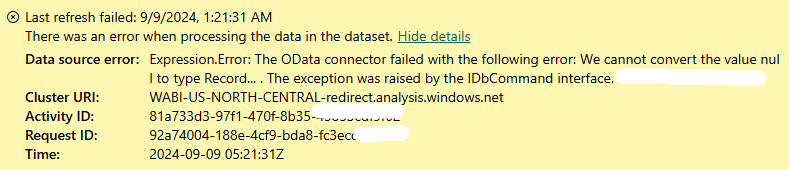
As someone who began their career learning about the Power Platform and using it to extend Microsoft Business Central, I am no stranger to OData woes. Whether it is connection errors or poor load performance due to large amounts of data. In this blog post I wanted to touch on a connector error I started to see in September 2024 on reports that utilized the Business Central Connector (SaaS). With this error, reports would refresh fine when using Power BI Desktop, but Power BI Service scheduled refreshes would fail. It seems the latest version of the connector no longer supports a fourth null parameter value.
BC SaaS “Can Not Convert Type Null” Error
Since February 2022, new Power BI reports that use Business Central data will connect to a read-only replica of the Business Central database by default. With the newest version of the connector (Sep 2024), it seems more changes have happened since my initial blog post on this. Luckily for us consultants, this is an easy fix.
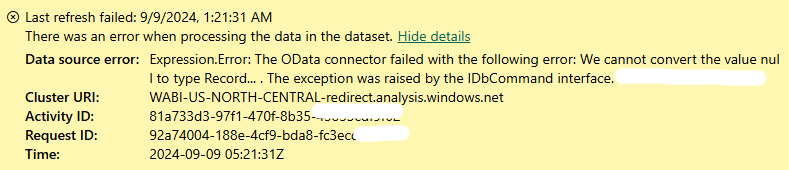
Error Message:
DataSource.Error: The OData connector failed with the following error: We cannot convert the value null to type Record… . The exception was raised by the IDbCommand interface.
- In Power Query Editor, select Advanced Editor from the ribbon. DO THIS FOR EACH QUERY UNLESS USING PARAMETERS!
- In the line that starts with Source =, replace the following text:

Dynamics365BusinessCentral.ApiContentsWithOptions(null, null, null, null)With:

Dynamics365BusinessCentral.ApiContentsWithOptions(null, null, null, [UseReadOnlyReplica = null])
And that’s it! Once you close the Advanced Editor, you should then be able to preview and carry out your ETL Transformations. Once you republish to service, scheduled refreshes should resume as normal.
NOTE: The Business Central Product Team is aware of this issue as of 9/6/24 and are working with the Power BI team to get an urgent fix released. Updates to follow.
Original Source on the Fabric Community Forum
Follow Dejan-Pajk on Linkedln
Need help connecting Power BI to Business Central? Check out my other blog post on the topic!




Leave a Reply